Tuesday, March 4, 2008

What puts 'home theater' into 'home theater system'?


A little bit of semantics, the way I see it. After I installed Philips HTS3544 one thing became quite clear to me. Yes, I do love the sound, the woofers and all. But I understood that the HTS3544 (or what have you) is only the 'system' and the home theater is the actual space where you install it. In other words, the room where you install the unit has to mimic a real theater. This includes, the space, the furniture, the light. This is what I mean when I say that the system only properly refers to what you get out of the box. No more, no less. Without it you will definitely not have a theater experience. With it, but without the actual theater part taken care of - it just will not be the same. The biggest problem in my case now is that I just don't have enough room to put the rear speakers where they belong - in the back of the room, so that they are located behind me. So, for me this true home theater thing is something clearly in the future, which makes it all the more fun to be planning for it. So, I will be collecting pictures of setups that other people have, in hopes that this will eventually inspire me.

See also:
Home media room design

Saturday, March 1, 2008

Panasonic DMC-FX33 digital camera manual and specs


Panasonic DMC-FX33

Just bought this one at Costco at $199 - a very nice deal. I will have to write a lot more about it. More precisely, it's a DMC-FX33K, the K must stand for black, just as DMC-FX33A is blue (aquamarine?) and DMC-FX33S is silver.

First impressions: very conveniently sized, nice rubbery surfaces. A quality video mode and anti-blur mode are very promising. You have to take out the battery in order to charge it, but that's pretty much standard these days, unfortunately.

Instructions in English

http://service.us.panasonic.com/OPERMANPDF/DMCFX33.pdf

Official specs:

Camera Type Stylish Compact
KEY FEATURES .
Camera Effective Pixels 8.1 Megapixels
Optical Image Stabilizer MEGA O.I.S. (Mode 1 / Mode 2 )
Optical Zoom 3.6x
Image Sensor 1/2.5", 8.32 Total Megapixels CCD, Primary Color Filter
Extra Optical Zoom 4:3 Aspect Ratio: 4.6x for 5 Mega, 5.7x for 3 Mega, 2 Mega, 0.3 Mega
3:2 Aspect Ratio: 4.6x for 4.5 Mega, 5.7x for 2.5 Mega
16:9 Aspect Ratio: 4.6x for 4.5 Mega, 5.7x for 2 Mega
Digital Zoom 1 4x (Max. 14.3x combined with Optical Zoom without Extra Optical Zoom)
(Max. 22.7x combined with Extra Optical Zoom)
Focal Length f=4.6-16.4mm (35mm equiv: 28-100mm)
Lens Leica DC Vario-Elmarit Lens
Lens Construction 7 Elements in 6 Groups (5 Aspherical Lenses/6 Aspherical Surfaces)
Aperture Range Wide: F2.8/F8.0 (2 steps)
Tele: F5.6/F16.0 (2 steps)
PERFORMANCE FEATURES .
Conversion Lens Compatibility No
Focusing Area Normal: 50cm - infinity
Macro/Intelligent AUTO/Motion Picture/Clipboard: Wide 5cm/Tele 30cm - infinity
AF Metering Face/1-point/1-point high speed/3-point high speed/5-point/Spot
Focus Auto Focus System, Normal/Macro (Dial)
AF/AE Lock No
AF Assist Lamp Yes
ISO Sensitivity Auto / 100 / 200 / 400 / 800 / 1250 / 1600 (High Sensitivity Mode: Auto(1600-6400)
White Balance Auto / Daylight / Cloudy / Shade / Halogen / White Set / White Balance Adjustment (+10steps, except for auto set) (Selectable at Portrait, Soft Skin, Self-Portrait, Sports, Baby, Pet, High Sensitivity, and Highspeed Burst mode)
Exposure Program AE
Exposure Compensation 1/3 EV Step, ± 2 EV
Backlight Compensation Yes (at Intelligent AUTO mode)
Auto Bracketing (AE) +/- 1/3 EV ~ 1EV step, 3 frames
Light Metering Intelligent Multiple
Shooting Mode (Mode Dial) Dial: Normal Picture, Macro, Motion Picture, Playback, Print, Intelligent AUTO, Clipboard
Scene Modes SCN (Portrait, Soft Skin, Scenery, Sports, Night Portrait, Night Scenery, Self-Portrait, Food, Party, Candle Light, Fireworks, Starry Sky, Beach, Aerial Photo, Snow, High Sensitivity, Baby 1&2, Underwater, Sunset, Pet, Hi-Speed Burst)
Advanced Scene Mode No
Shutter Speed/Shutter System 8 - 1/2,000 sec.
Starry Sky Mode: 15, 30, 60 sec.
Self Timer 10 seconds / 2 seconds
Auto Review 1 sec/3 sec/zoom
Review 1x/4x/8x
Picture Adjustment No
Color Effect Mode No
Color Mode Standard/Vivid/Cool/Warm/Natural/Black & White/Sepia
Recording Format Still Image: JPEG (design rule for camera file system, based on Exif 2.21 standard), DPOF Corresponding
Image with audio: JPEG (design rule for camera file system, based on Exif 2.21 standard)+ QuickTime
Motion Picture: QuickTime Motion JPEG
Image Quality Fine/Standard
Motion Image (Quick Time Motion JPEG) 4:3 Aspect Ratio: 640 x 480 pixels, 320 x 240 pixels 30 fps, 10 fps
16:9 Aspect Ratio: 848 x 480 pixels 30 fps, 10 fps
RECORDING IMAGE SIZE (Pixels) .
4:3 Aspect Ratio (Still Image) 3264 x 2448
2560 x 1920
2048 x 1536
1600 x 1200
640 x 480
3:2 Aspect Ratio (Still Image) 3264 x 2176
2560 x 1712
2048 x 1360
16:9 Aspect Ratio (Still Image) 3264 x 1840
2560 x 1440
1920 x 1080
Motion Image (4:3 Aspect Ratio) 640 x 480, 320 x 240
30 fps, 10fps
Motion Image (16:9 Aspect Ratio) 848 x 480 pixels - 30 fps, 10 fps
CONVENIENCE FEATURES .
Burst Shooting Mode Full-Resolution Image, 3 frames/sec Max. 7 images (Standard Mode), Max 4 images (Fine Mode) High-speed Burst Mode: approx. 7 frames/sec (recorded in 2M for 4:3, 2.5M for 3:2, 2M for 16:9)
Unlimited Consecutive Shooting 2 Yes
Easy Zoom/Zoom Resume/Motion Zoom No
Still Image Recording with Audio 5 seconds
Audio Dubbing Maximum of 10 Seconds
Real-time Histograms Yes
Composition Guide Lines Yes (2 patterns)
Built-in Memory approx. 27MB
Scene Mode Help Screen Yes
Auto Angle Detection Yes
Flip Animation No
Travel Date/World Time Yes/Yes
Title Edit Yes
Text Stamp/Date Stamp Yes/Yes
STANDARD FEATURES .
Built-in Flash Type/Mode Auto, Auto/Red-eye Reduction, Forced On, Slow Sync./Red-eye Reduction, Forced Off
0.6-6.3m (Wide/ISO Auto), 0.3-3.1m (Tele/ISO Auto)
External Flash No
Viewfinder No
LCD Monitor 2.5" Diagonal Polycrystalline TFT LCD Display (207k pixels)
Field of view: approx. 100%
Auto Power LCD mode, Power LCD Mode, High Angle Mode
Playback Mode 9, 25-thumbnail display, Calendar display, Zoomed playback (16x max), Image rotation, Category Playback, Slide Show, Favorite Pictures, Create Still Pictures, Resizing, Trimming, Protection, Aspect Conversion, DPOF Print Setting
OSD Language English, German, French, Spanish, Italian, Japanese
Recording Media Built-in Memory
SD Memory Card
SDHC Memory Card
MultiMediaCard
Microphone Yes
Speaker Yes
Interface DC Input, A/V Output (NTSC/PAL), USB
Direct Print PictBridge
Color Black
Power Supply Lithium-ion Battery Pack (3.6V, 1000 mAh)(Included)
AC Adaptor (Input: 110-240V AC)(Optional)
Battery Life 3 Up to 280 pictures(CIPA Standard)
ACCESSORIES .
Included Software ArcSoft® MediaImpression™, ArcSoft® Panorama Maker™, USB Driver, Lumix® Simple Viewer, Photo Fun Studio
Standard Accessories Battery Charger, Battery Pack, Battery Carrying Case, AC, AV & USB Cables, Strap, CD-ROM
Dimensions (H x W x D) 2.04'' x 3.74'' x .87''
Weight .29 lbs

Wednesday, February 27, 2008

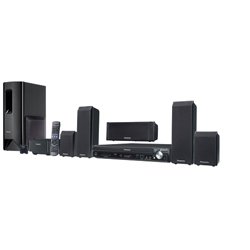
Panasonic SC-PT753 Home Theater System Review + Manual


Panasonic SC-PT753 Home Theater System, 900 Watt, with 5-DVD Changer


Pros:

  • Does 1080p conversion
  • Wireless rear speakers
  • XM radio ready
  • iPod dock that can charge iPods.
  • Multiroom wireless capability with an optional SH-FX85 unit
  • Dialog enhancer mode makes it easier to follow movie dialogs.

Cons:

  • Does not play DiVx movies
  • The wireless rear speakers setup is somewhat cumbersome
  • No digital input (you will not be able to enjoy surround sound from other sources)

Manual (same manual for SC-PT750):

http://service.us.panasonic.com/OPERMANPDF/SCPT750.pdf

Official specs:

Wireless Freedom
With a wireless rear speaker, you can place the speaker wherever you like without the clutter of cables. You can also expand your music listening into three additional rooms with the SH-FX85 wireless multi-room speaker kit (sold separately).

Amazingly Vivid Picture
To give you the astonishingly high image quality of today's HD technology, the 1080p up-conversion function converts standard definition (720 x 480 pixels) images from DVDs to high definition (1920 x 1080 pixels). That means you'll get the most out of your HDMI-compatible HDTV, with sharp and exceptionally detailed high-resolution images. And unlike ordinary video up-converters that produce images with thicker edges and decreased sharpness, the HD Enhancer keeps edges crisp and clear, for outstanding detail.

Intensely Rich Sound
Enhance your home theater system with an incredible combination of Panasonic sound technology and 900 watts of power. Super Surround puts you in the action with lifelike sound from every angle, and a Four-Step Subwoofer Level Control puts you in command, with rich sound effects you can hear and feel.

Enjoy Your Favorite Movies and Music
Panasonic home theater systems are great for watching movies, but that's only where the fun begins. They also come equipped to deliver exceptional sound quality from portable audio players and other new music sources. So go ahead and listen to your favorite music on your iPod® by adding the Universal Dock for iPod® (sold separately) or tune into your favorite XM stations1.

Smart Theater with Simple Operation
It's never been easier to use both Dolby Pro Logic II and Super Surround — functions that create a multi-channel sound effect from disc media and other sources. One button is all it takes: simply press the DPLII/S.SRD button on the remote control and the system recognizes whether the source is a disc or not.


Sunday, February 24, 2008

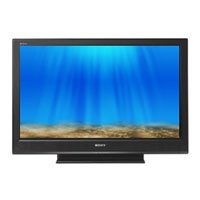
Sony KDL32SL130 TV

Sony KDL32SL130 32" LCD TV


Here is a good tip. I believe that the unit that Costco sell as Sony KDL32SL130 is actually a Sony model found at other stores under the name of 32S3000. This is a familiar Costco tactic. They assume that customers might as well rely upon Costco to do product research. And it most cases it works out well. I did own a TV purchased at Costco. It broke before the extended Costco warranty expired, so I got all my money back. I did not have a problem getting another TV from them - they had discontinued the brand that I had, so apparently they can learn from their mistakes. Bu in the case of KDL32SL130 there is would have been no shame in keeping the product name untouched! Consumer Reports rated 32S3000 as the best 32" LCD HDTV in a recent electronics issue. So, I am forgoing the usual pros and cons run down.


User manual for Sony KDL32SL130 TV:

Saturday, February 23, 2008

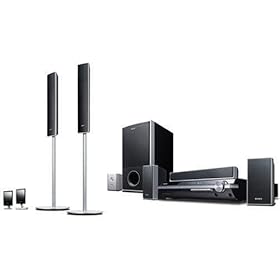
Sony Bravia DAV-HDX501W home theater review + manual

Sony DAV-HDX501W Bravia 5-Disc Home Theater

This is a Sony Home theater I would recommend if you need a digital input (I do), and can swing over $500 (I don't).

Pros:


  • Digital input port
  • Wireless speaker connectivity
  • Upconverts to 1080p
  • Microphone calibration

Cons:

  • No Blueray capability
  • Maybe, instead of 1080 conversion you should wait for Blueray-based home theaters to be perfected?


Here is the manual for this Sony Bravia hdx501w

Friday, February 22, 2008

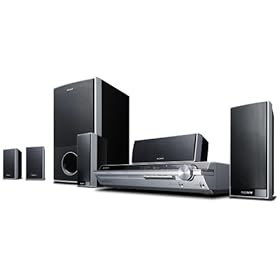
Sony BRAVIA DAVHDX265 home theater review + manual

Sony BRAVIA DAV-HDX265 home theater

Pros:

  • Affordable
  • The sound receives good to great reviews.
  • Convenient automatic calibration through a microphone
  • You can change the brightness of the front panel (through the System menu) - a very nice feature if you keep this unit in the bedroom, let's say.
  • Parental control can be set for up to 40 discs.
  • Digital media port for connecting a portable audio device or computer
  • Plays DivX videos
  • Upconverts DVDs to 1080i
  • Theater Sync function - only with Sony TVs.
  • DAV-HDX267W is supplied with a WAHT-SD1 wireless kit

Cons:

  • Lacks digital input. Not a very important feature for some people, but if you have been assuming that a Sony home theater would have this by default, beware. To put it plaintly, you won't be able to get digital surround sound from any other source, other than the unit itself. You can use stereo input through the Digital media port, but that's just not the same, don't be confused by that.
  • Speaker connectors are not standard.
  • On-screen menus can be difficult to navigate.
  • The disc changer is somewhat slow to respond.


Conclusion? My personal favorite remains Philips HTS3555! This one probably only makes more sense if you have a Sony TV.


Here is the manual that also covers: Sony DAV-HDX266 and Sony DAV-HDX267W:


http://www.sonystyle.com/wcsstore/SonyStyleStorefrontAssetStore/pdf/DAVHDX265.pdf


"Official info":

HDMI™ Output with 1080i upscaling of DVD Media

Reads the data on a standard DVD at 480p and upscales the video resolution up to 1080i resolution for your compatible HDTV. This allows for you to enjoy superb video performance while delivering digital video and audio over one simple cable.

BRAVIA®Theatre Sync™

As a leader in products with HDMI connectivity, Sony has created BRAVIA® Theatre Sync™ technology to go beyond simple audio and video transmission. When combined with a select number of BRAVIA® LCD televisions and other Sony audio and video products, control functions will also be transmitted via the HDMI cable. With “One Touch Play” operations that took several steps have been reduced to one. Press the PLAY button on the remote, watch the audio and/or the video component(s) turn on then the BRAVIA® television will turn on and switch to the correct video input...Simple...Easy...BRAVIA® Theatre Sync™

DIGITAL MEDIA PORT

As the demand for digital content continues to be strong, here's the challenge: how do you integrate music in various forms into a home theater system? The answer: Sony’s DIGITAL MEDIA PORT (DMP). Together with one of the DMP accessories (sold separately), this proprietary interface adds networking and connectivity to the options of home theater systems and components, connects with various devices which provide the ability to control and power devices while making set up easy and operation simple. The DMP accessories will include a PC Client device, Bluetooth® receiver and Audio Docking Stations compatible with Network Walkman™ and iPod® products. So regardless of how you store your music, Sony’s DIGITAL MEDIA PORT offers an access point to integrate your portable music into a traditional home theater system.

Digital Cinema Auto Calibration-2

Now the optimal speaker settings for your living room are only a press of button away. Simply place the included microphone in your listening position and allow the strength of Sony’s Digital Signal Processing to take over. Speaker placement, distance, and delays are all calibrated automatically to ensure a worry free listening experience.

Portable Audio Enhancer

Simplified front audio and video connections are part of what makes the DAV-DX265 ideal for today’s portables. Beyond the simplified connection a powerful Digital Signal Processor is used to expand the quality from any device that is connected.

Multi Speaker Formation

Select from the on screen display to configure the system for different speaker layout.

Music/Movie Mode

System automatically adjusts sound characteristics to match the source (movie vs. music).

Monday, February 18, 2008

Olympus Stylus 820 Digital Camera - Manual and specs

A superb camera, except for one thing: image quality. I have read reviews about the bad quality of pictures taken by this camera and my personal experience from playing with it is just the same. Weather resistance is a big feature on many Olympus Styluses. Image Stabilization is a perfect feature to go with a slightly above average 5x optical zoom. I can only hope that Olympus will manage to improve the image quality. Their website now lists Stylus 840, but I haven't seen in in person just yet.

Olympus Stylus 820 manual

Olympus Stylus 820 specs:
  • 5x Optical Zoom
  • 2.7-inch HyperCrystal™ LCD
  • Digital Image Stabilization
  • All-Weather
  • Face Detection